The Simplified "Week-to-Week" System: One Folder That Actually Keeps You Organized
I’m sitting here on Sunday afternoon looking at my pile of papers that I have for this week. I have a pile of graded quizzes and homework. Then, I have a pile for some assignments that I still haven’t graded yet. I have another some graphic organizers that I need to copy for 7th grade for their note-taking exercise on Wednesday and a primary document activity that I need to copy and post on Google Classroom for 8th grade. I have an outline for a PD that I need to work on this week for next week’s faculty meeting, along with some teacher resources that might be helpful for this PD. I have lesson plans for each subject that I’m teaching that need to go into my binders at school. And, last but not least, I have my personal habit tracker, making sure I track how much water I drink each day. All of these piles of papers are spread on my desk in my office, my sofa, even on top of my copier, and I’m thinking, “How am I going to keep all of this organized long enough for me to get it to school and put it where it needs to go?”. Good question!
If you asked me that question about a month ago, I would say that I would just throw it all in my work bag and sort it out at school. That takes time. Then, I would have to figure out what I needed to copy, what I needed to get ready for my lesson, what was with what!. Because you know on a Monday morning, I am not all there. I’m running late. I need my coffee. I need to make copies. By about 10am I’m there, but not at 7:15am. After doing this crazy routine for about three weeks, I realized that I needed to do something different. I needed to get organized on Sunday to organize my week better.
Between lesson plans, grading, parent emails, and the never-ending stream of "just one more thing," staying organized can feel impossible, but I had to figure out what worked best for me—and I did!
Here's the truth: You don't need a color-coded filing cabinet or a Pinterest-perfect teacher cart. You need a system that actually works when you're tired, overwhelmed, and running on coffee.
That's why I created the Simplified "Week-to-Week" System—and it's just one 8-tab expandable folder. I know it sounds common-sense-ical (and it is), but a little organization like this can go a long way!
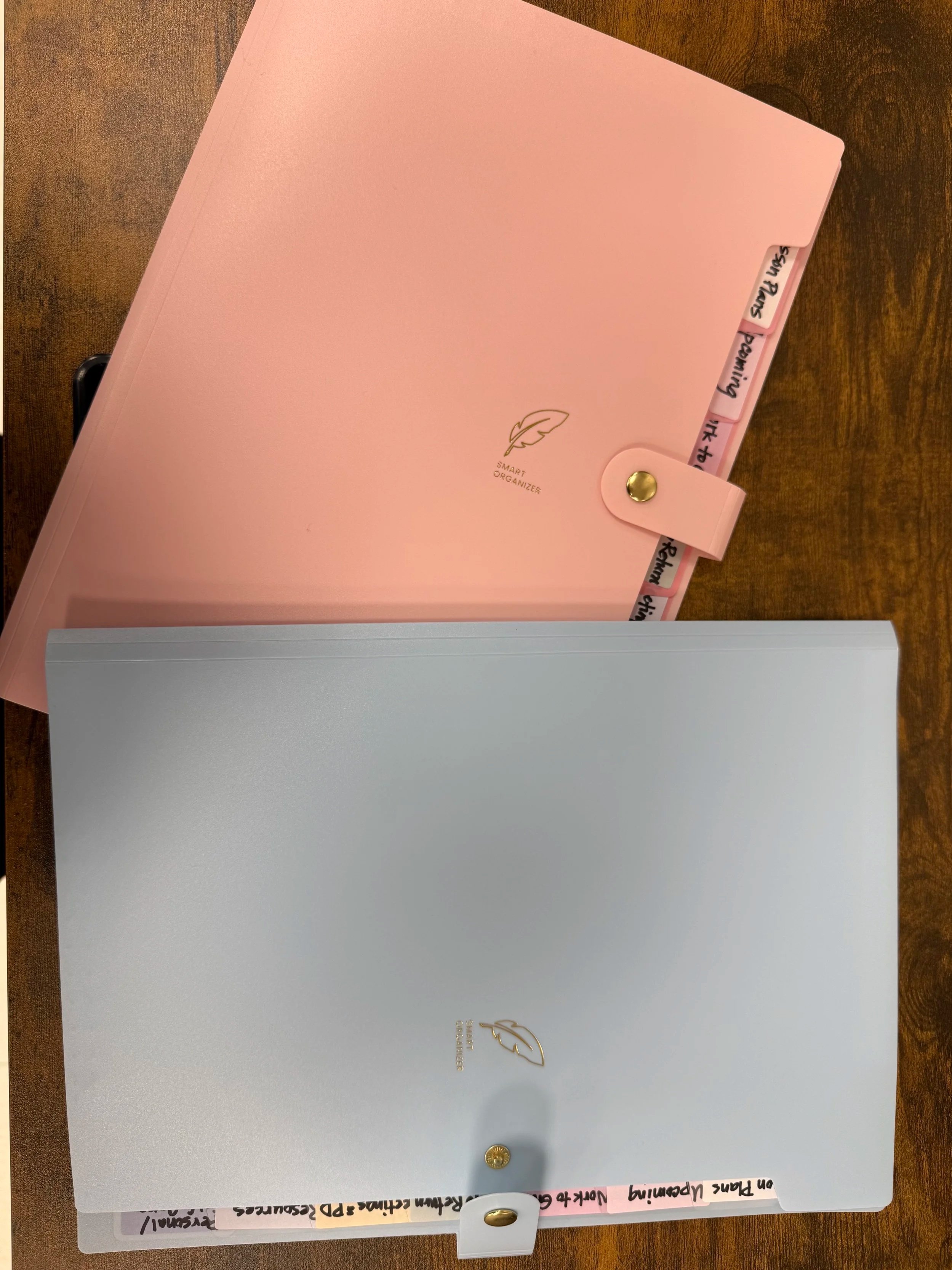
These are the ones that I bought for about $7 each on Amazon. Click here to check them out!
Why This System Works
The best organizational system isn't the prettiest one. It's the one you'll actually use on a chaotic Tuesday when you have three meetings, a parent conference, and you just realized you forgot to make copies.
This system works because:
It's portable. Toss it in your bag and go.
It's low-maintenance. No fancy supplies or complicated upkeep.
It keeps you ready. For subs, surprise meetings, or those "What am I teaching this week?" moments.
It removes decision fatigue. Everything has a home, so you're not constantly thinking, "Where did I put that?"
The 8-Tab Breakdown
Here's how I organize my folder—and how each tab saves me time and stress every single week:
Tab 1: This Week's Lesson Plans
This is your command center. Current lesson plans, today's slides (if you like those printed out with notes like me), your must-have notes or to-dos for the day—anything you need to grab quickly goes here. When you're teaching back-to-back classes, you don't have time to hunt. This tab keeps your week flowing.
Tab 2: Upcoming Lessons
This tab normally becomes where I place all of the worksheets, graphic organizers, outlines—whatever needs to be copied for the week. Plus, if I have next week's materials printed out, copies to make ahead of time, that brilliant idea you want to try soon—it all goes here. This is your "future you will thank me" section. When Monday rolls around, you're already halfway prepped.
Tab 3: Graded Work to Return
Papers you've already graded and need to return. Keep them here until you hand them back, so they don't get lost in the shuffle or accidentally buried under new assignments.
Tab 4: Work To Grade
The holding zone. Quizzes to grade, homework to check, projects to assess—they wait here until you can get to them. Having a designated spot means these papers don't wander off or create mystery piles on your desk. Once I put these grades in my grade book, then I move them to the “Graded Work to Return” tab.
Tab 5: Parent Notes / Emails
Printed emails, notes from parents, or things you need to follow up on. When a parent says "Can we talk about..." you'll know exactly where to find their information. This tab has saved me more than once during unexpected conversations.
Tab 6: Meetings & PD
Staff meeting agendas, PD handouts, notes from your last team meeting—anything you might need to reference later. or need to file away and haven’t done it yet. No more "Wait, what did they say we're supposed to do?" because you'll have it right here.
Tab 7: Resources
Your frequently-referenced essentials: class rosters, seating charts, log-in information, IEP snapshots, emergency procedures. This is the stuff you need quick access to but don't want floating around loose. I often end up having a binder book (or what I call it) that I put all of my important papers for the year so that I don’t get things mixed up; this binder book stays in my work bag at all times, just in case I need some of this important information (you can find the one that I use right here on Amazon—click here!)
Tab 8: Personal/Self-Care
This is your permission slip to take care of yourself. Keep inspirational quotes, self-care reminders, gift cards you haven't used yet, or notes from students that made you smile. On the hard days—and we all have them—this tab reminds you why you teach and that you matter too. You can't pour from an empty cup, so keep something here that refills yours.
This fits really well with the overall supportive tone of the post and acknowledges that teachers need to prioritize themselves too. The updated blog post is ready in the same file!
Other Tabs To Think About
If one of these tabs doesn't fit your teaching style, swap it out for something you'll actually use—like data tracking, behavior logs, or a communication record. Tweak it to what works best for you to stay organized.
How to Make It Work for You
Use an expandable folder. It doesn’t have to be fancy; it just needs to fill your organizational needs. I have one for each class that I teach, and they are color coded by class. It helps me stay organized.
Here are my favs:
Sooez 8-pocket Accordion file ( click here for Amazon link)—just around $6-7; I have one for each class that I teach. Of course, I color-code it, too, by class.
Fireproof accordion file—if you are looking for something a little sturdier, check out this one. It is more expensive, but this lasts me all year long or longer. It is waterproof and fireproof. I have one to organize my admin duties, but it can easily be used for your classes as well. Click here to check it out on Amazon,
Matein Teacher Bag with Lunch Box—I actually have this bag and love it! It has an accordion file built right in! I organize my non-teaching duties with these accordion files. Since I’m also an administrator, I have to separate my roles. By using this accordion file on this bag, it helps me to transfer things to my files at school.
Start with a weekly reset. Every Friday afternoon or Monday morning, take 5 minutes. Move papers where they need to go, update your tabs, and set yourself up for success. I do this as a ritual before I leave on Friday because I don’t want to guess what I was thinking on Sunday evening and get frustrated with myself. That starts my week off on the wrong foot!
Keep it portable. This folder should come with you—to meetings, to the copy room, home for the weekend. It's your teaching hub.
Don't overthink it. You can color-code papers inside if that sparks joy, or you can just shove them in the right tab. Both are valid. The goal is function, not perfection.
Adapt as needed. If you don't do many meetings, repurpose that tab for something else. This system should work for your life, not some idealized version of teaching.
The Digital Version
Want to go paperless? Create matching folders in Google Drive with these same 8 categories. The principle stays the same—everything has a home, and you always know where to look.
You Don't Need Fancy to Be Organized
One of the biggest lies in teacher culture is that being organized means having beautiful labels, matching bins, and everything color-coordinated. That's Pinterest, not reality.
Real organization is knowing where your sub plans are at 6 AM when you're too sick to go in. It's finding that parent email in 10 seconds instead of scrolling through your entire inbox. It's walking into a meeting with exactly what you need.
The Simplified Week-to-Week Folder does all that—no laminator required. I needed something to keep me organized for my lessons, and since using this system, I don’t lose anything!
If you're tired of the paper chaos and ready for a system that actually sticks, give this a try. Set it up once, maintain it weekly, and watch how much lighter your mental load feels.
You've got this.
What's your biggest organizational struggle as a teacher? Drop a comment—I'd love to hear what's working (or not working) for you!
Full transparency: This post includes some affiliate links. That means if you buy one of these products, I may get a tiny commission—but it won't cost you anything extra. I only recommend stuff I'd actually use in my own classroom. Your support keeps this blog running, and I appreciate you!